

To transfer a domain/product from one WWS account to another, you do not need an EPP code, and it can be done seamlessly from your WWS account.
Things you need:
1. The domain you wish to transfer
2. The recipient's email address.
Steps:
- Log into your WWS dashboard
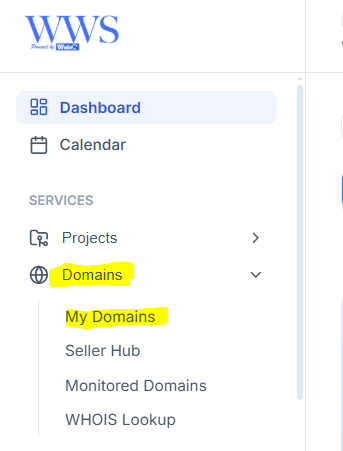
- By the left side, go to the domains drop down and select "My Domains"
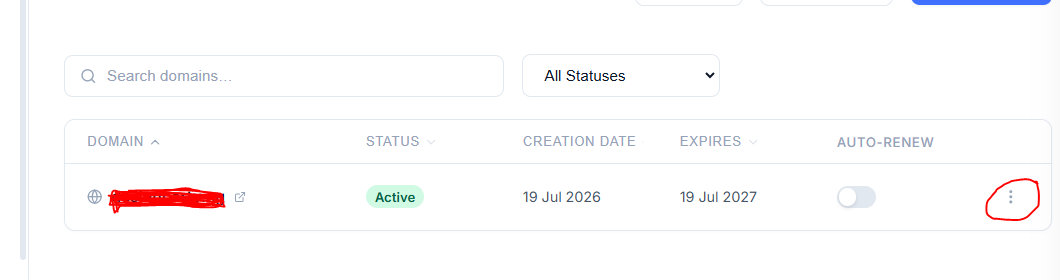
All domains under your account will be displayed, then click on the three dots by the right side of the domain you wish to transfer
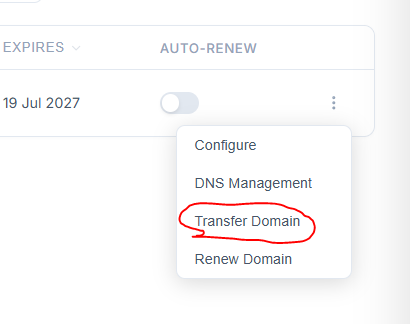
Select "Transfer domain" and enter the registered email of the new user you wish to transfer the domain/product to their account.
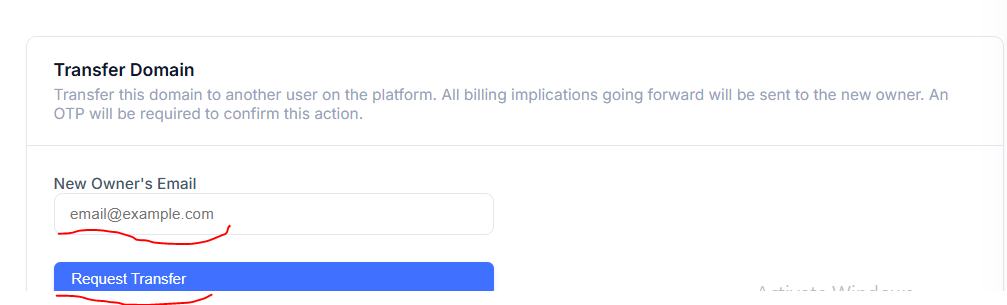
Click on "Request Transfer"
Once this is done, your domain will be transferred to the new owner, and a confirmation email will be sent to both parties involved.
Your domain has been moved successfully!